Migrating Course Content to an Online Learning Platform – Part 3

Part 3: Onboarding Learners
In Part 2 of this series, we talked about migrating content to your platform, or “completing the build.” Once you have an online learning experience exactly as you want it, though, how do you make sure your learners actually use it? Often, people pick an LMS or a custom learning solution, migrate their assets, and assume that user adoption will happen automatically. You’d be hard pressed to find instances where users embrace changes organically, though. We’ve all been there at some point with our favorite apps and paid subscriptions, for example.

As Satya Nadella and Larry Page have demonstrated, organizational change can be successful when done right. The key to user adoption is effective change management.
ADKAR
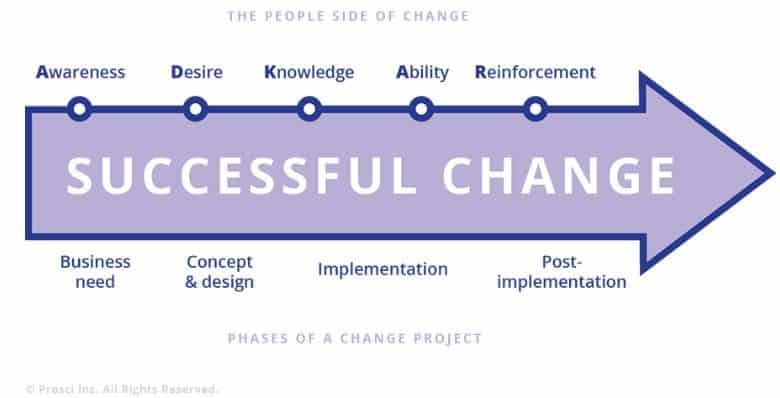
1.Prosci ADKAR Model
ADKAR is an acronym for Awareness, Desire, Knowledge, Ability, and Reinforcement. The Prosci ADKAR Model prescribes a process for individual change management (from Awareness of the change to Reinforcement of the change). If individuals in your organization successfully adopt a new learning solution, it’s as good as the organization adopting the learning solution.
Building Awareness of the Online Learning Solution
It is not sufficient to communicate to your learners that a change is happening. You need to go beyond and build awareness of the need for change. Picture a team member saying, “They keep changing things. Now they’re changing L&D, as well. I don’t know why they keep messing with everything.” This attitude is exactly what this phase of change management is meant to address.
Ideally, you should answer the following questions for your team:
- Why is the change needed?
- How does the old solution compare to the new solution?
- How will the new solution address learner pain points?
If you’ve addressed the challenges in the first two posts of this series, you’ve already done some groundwork for building awareness of the learning solution. You can build further awareness of the change through informal conversations, general communications, discussions on an internal social network, Q&A sessions, and meetings.
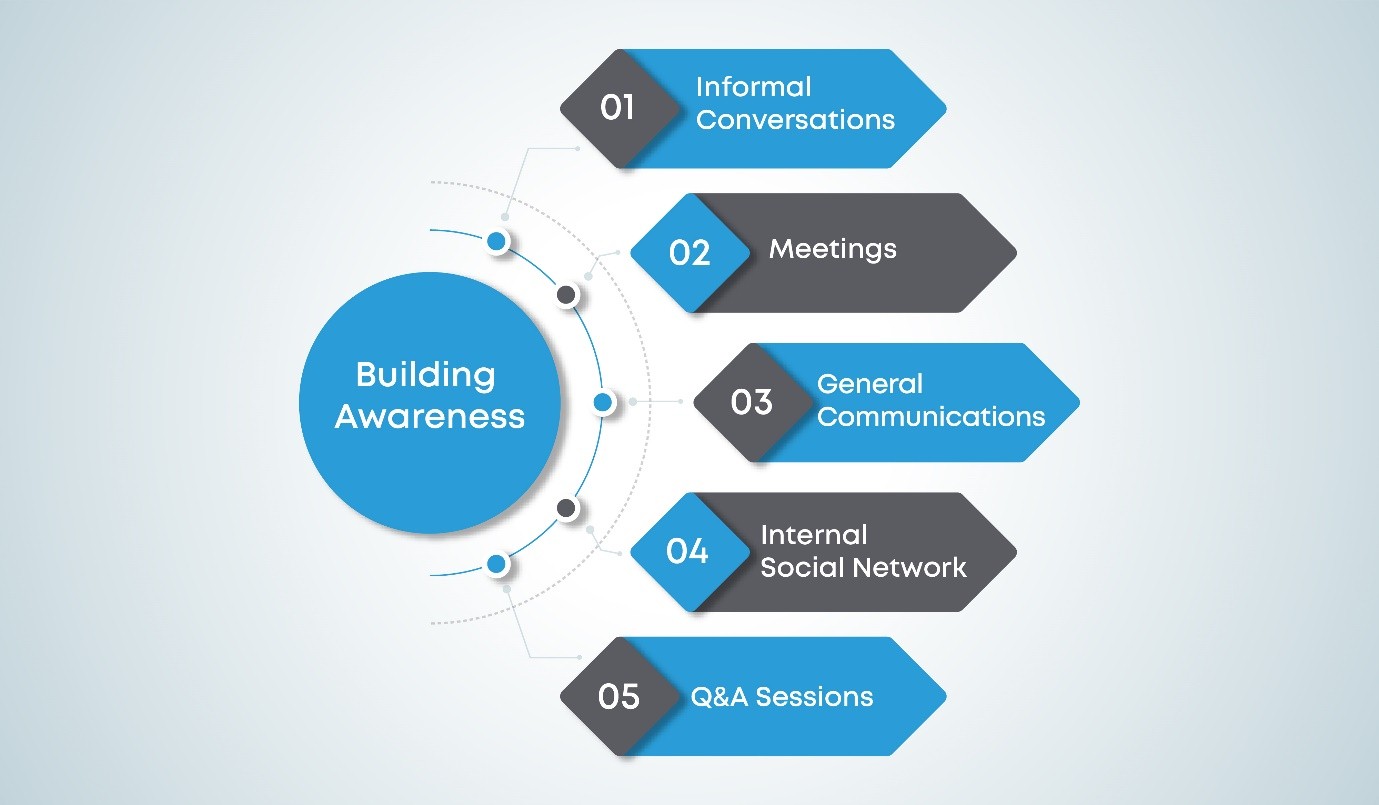
2. Awareness - ADKAR
The primary challenge with any change is addressing the status quo. When faced with change, people want the answer to two questions. Why do we need this change, and what does this change mean for us? Building awareness will help address the first question. You will address the second question in the remaining phases of the ADKAR model. You can run a survey to understand what team members think about the new online learning solution and follow it up with a Q&A session or document to address any concerns. You can also use the grapevine or informal communication to build excitement about the new learning platform.
Generating Desire for Your Online Learning Solution
- What is in it for the learners?
- How did the learners contribute to building the new system?
- How will the new system benefit learners in the long run?
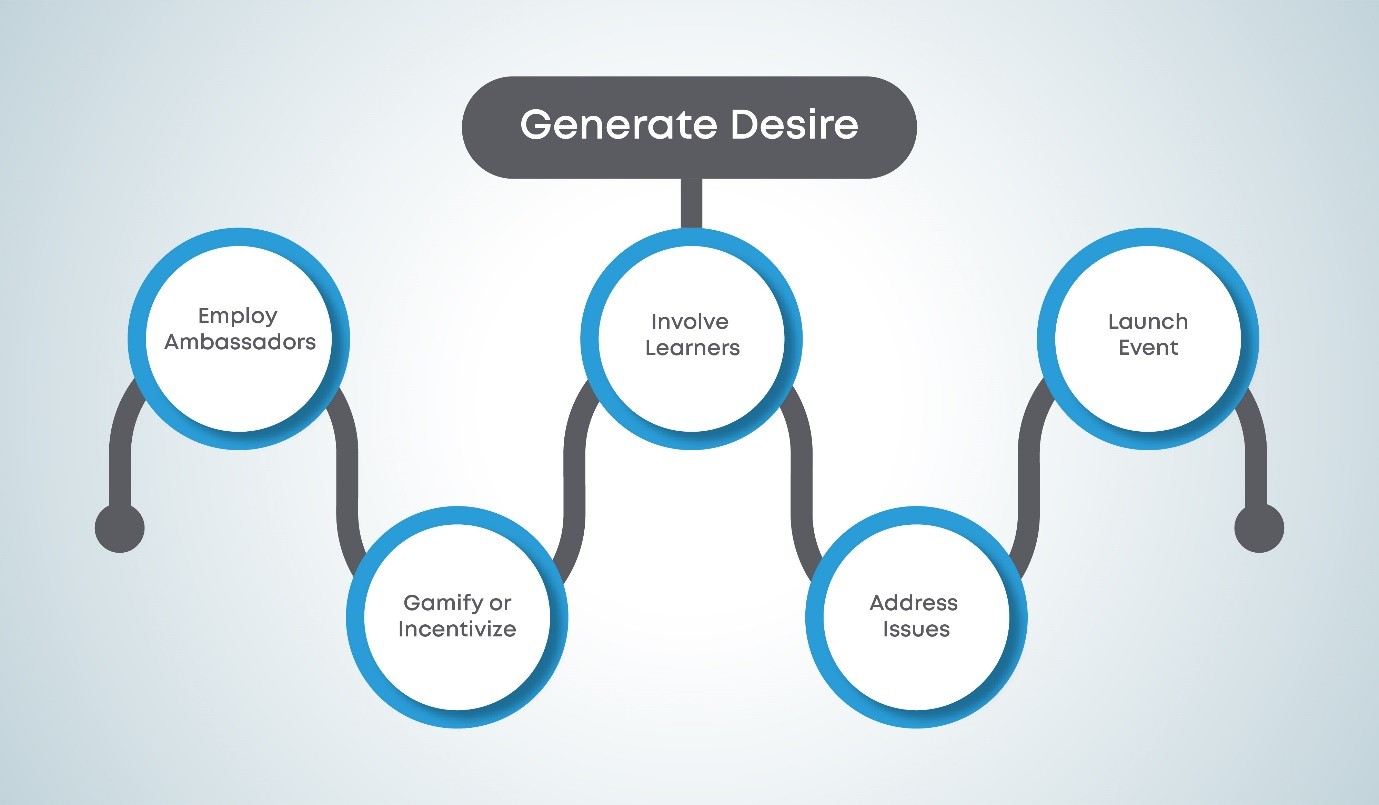
3. Desire - ADKAR
Remember that in Part 2 we asked you to form a small team to drive the implementation of the LMS migration? These team members can be the ambassadors or champions of the change. This team, along with a batch of pilot users, will be instrumental in generating desire. If you want to set additional groundwork early on, you could involve more learners before you choose your LMS solution by rolling out a survey to ask them what they want to see in a learning solution. Your learners are more likely to react positively to a change when they know that their input influenced the change and their peers worked on the solution.
You can also generate desire by showing learners how they will benefit from the learning solution. If you had a pilot, as suggested previously in this series, you can gather positive feedback from the pilot users to showcase how the new learning solution benefits users. You can get pilot users to share their experiences with other learners, quote them in your communication, or create a “what our pilot users think of this new learning solution” email or blog post. In addition, if you have metrics from your current learning program, you can compare metrics from this system with the metrics from the new learning solution for your pilot users. Improvement in metricssuch as time to completion, learner satisfaction ratings and approval, and post-training learner competency or proficiency will help demonstrate the learning solution’s efficiency to potential new users.
Another effective method of motivating learners to adapt to this change is to incentivize them to use the newly migrated learning assets. You can do this by gamifying the learning system and providing badges or congratulatory cards. A simple way to do this pre-launch is to announce that users taking the course will receive certificates upon successful completion. You can also use promotion activities such as putting up virtual banners announcing prizes for the first 10 users to complete a module with “X” points.
During the pilot and beyond, if any of your learners bring up issues, address these issues before you move on. Do not leave too many unresolved questions. This will help to build learner confidence in the program.
Finally, do an official launch for your new online LMS or website. This can be as simple as a virtual event that lasts for 5-10 minutes, but it’s important to indicate a clear start date/time when the new learning solution is going “live.” This event is an acknowledgement of the hard work that went into creating the online course and an invitation for your learners to explore the course.
Ensuring That Learners Have the Required Knowledge
You’ve cleared the most difficult hurdles in change management. You’ve convinced your learners that the migration of your learning assets was necessary. You’ve generated buzz with a launch event, and your learners are excited to learn online. Your online learning platform is guaranteed to be a hit now, right?
If that’s what you think, you may be in for a surprise. When was the last time you were excited to try something (an app, a game, a diet, a recipe) and fell short because of incomplete knowledge? The knowledge gap is all too real. This step in the ADKAR model equips your learners with the necessary information about how to use the new learning platform. During this step, you should address the following questions:
- Where do learners turn to understand how to use the online learning platform?
- Whom should the learners reach out to if they face issues?
- Who will support learners during the first few days after launch?
Depending on the assets you’ve migrated, a learning need may or may not be immediate. For example, your learning assets may pertain to a skill that learners need only when they’re working on certain projects. Until then, they don’t need that skill or knowledge and won’t need the associated learning asset. On the other hand, you might have built a mandatory course that everyone must complete. In either scenario, your users need to know how to use the new system.
You can share this knowledge via training sessions, walkthrough videos, or user guides/manuals. One great tool is an in-app or in-website guide that helps users understand how things work as they navigate the learning experience. You might have noticed such guides when using an app for the first time. Alternatively, consider prefacing your online learning material with a video that explains how the platform works. If you’ve taken a course on Coursera, you may have noticed this type of explanatory video at the beginning of each course.
A couple of other things to keep in mind.
- Before you launch your learning solution, remind the technical team that they can expect to receive more than the usual share of questions.
- Ensure that your project team and pilot user group include users across teams. These users can then function as points of contact for minor non-technical issues.
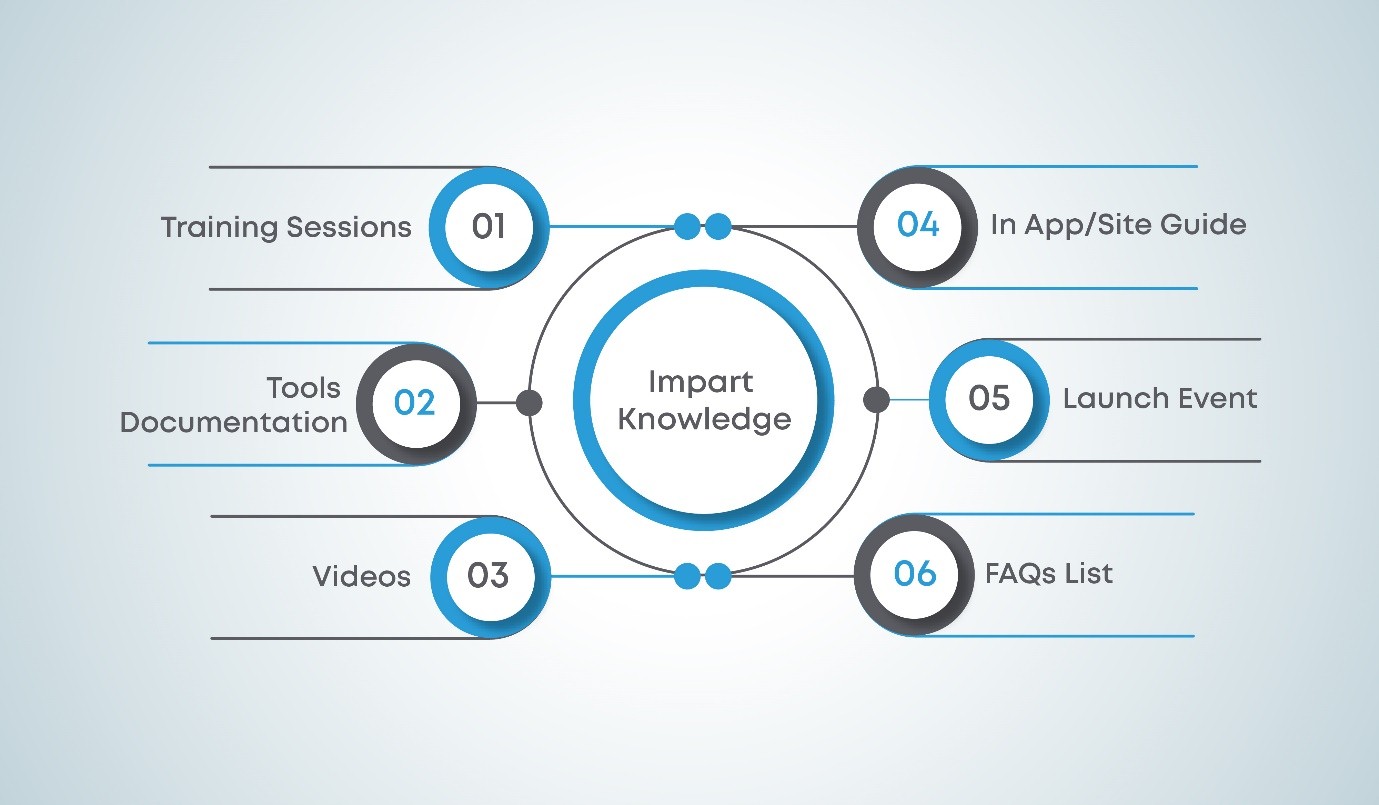
4. Knowledge - ADKAR
Converting Knowledge to Ability
A mistake that organizations make when switching to a new system or technology is assuming that knowledge is the same as ability. Each organization has different user groups. Some of these groups are great with technology and can adopt new tools and technologies easily. There may be other groups that are not as tech-savvy or are simply resistant to change.
Similarly, your learners may have varied needs that impact the translation of knowledge to ability. Some of your learners may need extra support to understand the new learning platform. Other learners may need additional time to get used to the new system. A demonstration of the platform is a good start, but your learners will benefit from experiential learning, as well, which is why you should consider hands-on training sessions.
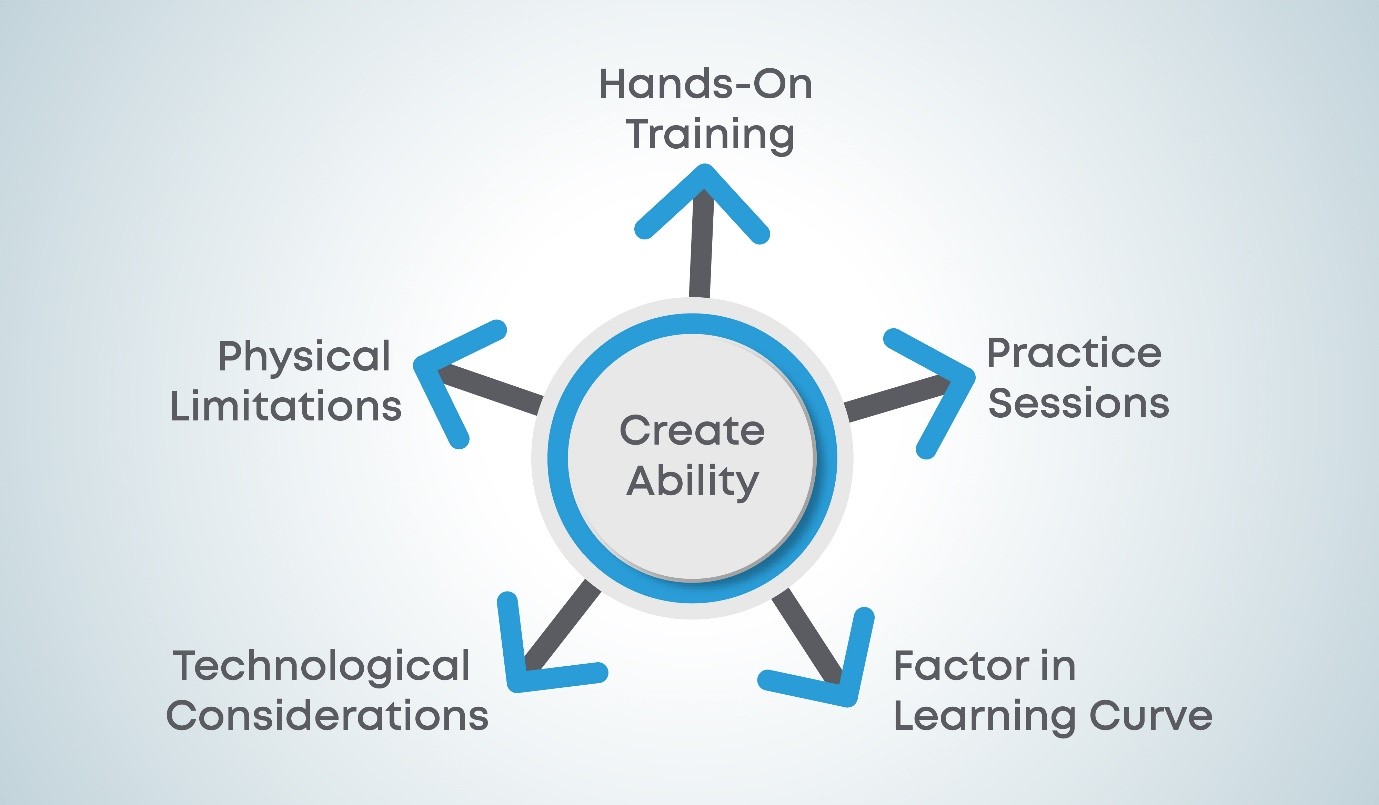
5. Ability
When moving to an entirely online learning system, the learning process may be hampered by factors that are beyond a learner’s control. For example, many of your learners may access your training from their homes or on the go. Technological considerations such as Internet bandwidth and device availability need to be accounted for. Physical limitations may also prevent your learners from using computer screens. It is important that you address the needs of each group sufficiently to create ability.
Reinforcing the Change
While in some cases it is inevitable that users will eventually adopt a new system because of the lack of viable alternatives, you can help this along by making it a great experience. For a learning system to be truly effective, you need your learners to come back because the learning experience is good and not because they do not have alternatives. Learning experiences are directly affected by the quality of the learning material and the learning management system or website. However, there are other ways to create a positive learning experience and help reinforce the switch to the new system.
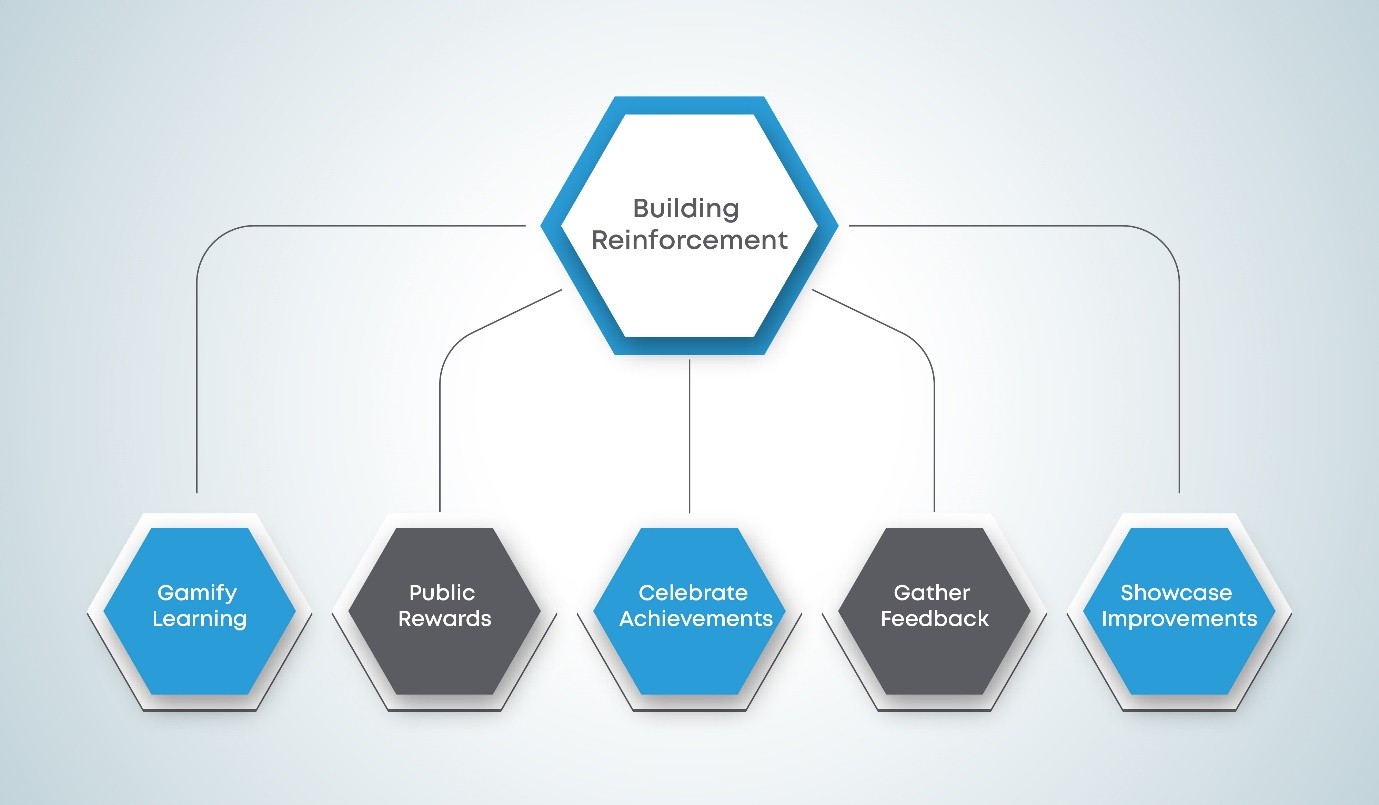
6. Reinforcement - ADKAR
As mentioned earlier, you can use a system of badges, points, and certificates to gamify learning. You could also have a public board where you recognize the best performers (most helpful, most active, highest scores) for each online course. You can celebrate the successful launch of the new learning solution and then throw a pizza party on the completion of a milestone (6 months since launch, 100 courses completed, etc.) If you ask for feedback, users will provide feedback on your new online learning tool. You can use this feedback to improve the learning experience; be sure to showcase the improvements to your learners.
Organizational Change and Beyond
Up to this point, we discussed how you can take individuals through the change management process. Is this different than taking an organization as a whole through the process? Theoretically, yes. However, for this type of migration project, you do not have to focus on organizational change management. In this case, for the organization to change, individuals within the organization need to change. If you’ve addressed the various components of the Prosci ADKAR Model, you should be good to go. (For those who are curious, though, you can read more about the Prosci 3-Phase Process, prescribed for organizational change management.)
There are a number of change management models, and you may well choose one besides ADKAR. Whichever you choose, the tips and strategies discussed in this post are universal and can be carried over to the other models. Once your learners have been onboarded successfully, you can employ various methods to keep them engaged in your online learning experience. The next step is to maintain your online learning assets and keep them up to date. Because these learning assets are modified from pre-existing assets, they may fulfill your current need but may not be the best possible solution.
You might recall that we helped a client build a custom website for their learning content and worked with them through migration challenges. Before we even started working with them, though, the client built Awareness within their organization for the need to develop a new learning solution to augment the rest of their learning program. Once they had buy-in from various stakeholders, they approached us to partner in developing the learning solution. Our team of instructional designers, graphic designers, and programmers worked with the client’s SMEs to create the website. Meanwhile, our client generated interest and Desire for the new website by posting to their social media pages, sending emails, and informing various stakeholders about the website.
Before the official launch, SMEs and instructors were provided with Knowledge about the platform using walkthroughs. We created additional resources including instructor and student guides and placed them in prominent locations on the website to show users how to use the various learning assets. As mentioned in our previous post, one of our key deliverables was to ensure accessibility and provide various segments of users the Ability to use the platform. Our client continues to engage with users through various communication media, including social media, to gather feedback and implement needed changes. This Reinforces the value that our client is providing to its target audience.
Your Migration Project
Congratulations! If you’ve completed the steps throughout this series, you’ve successfully migrated your learning materials. First, you chose the right platform. Second, you transformed your existing content to suit the chosen platform. Third, you onboarded your learners using the right change management strategy.
If you’re currently planning a migration or in the midst of a migration and need some help, you can get in touch with us at contact@ansrsource.com. Our experts will be happy to guide you through the process.